InfieldHQ vs GameTime Lineups
Both built for the phone. Both care about fairness. Different job.
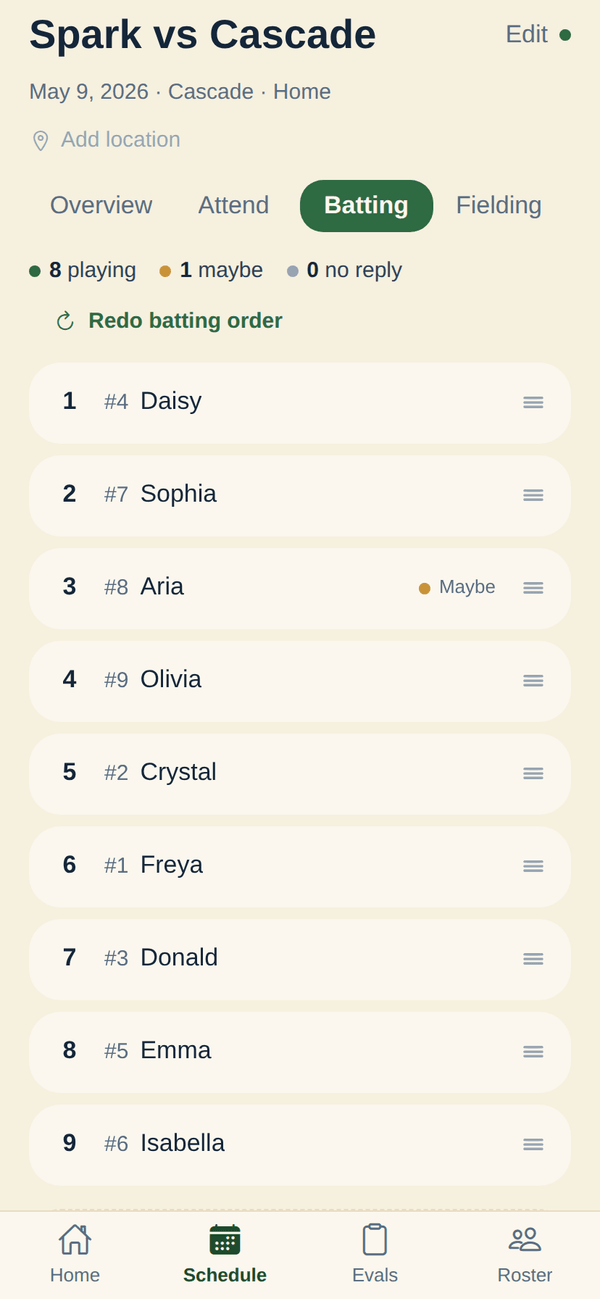
GameTime is the mobile-first lineup tool with a What-If mode and a fairness PDF parents can read. InfieldHQ is the mobile-first team app where the lineup lives next to attendance and the walk-up board.
Free to start. Runs in the app or a browser.
InfieldHQ
Free
A rec team that already runs the season in InfieldHQ and wants the batting order and field positions built on a phone, in the parking lot, in the same app as attendance and the walk-up board.
GameTime Lineups
Free, or $29 once for lifetime
A coach who lives on the phone, wants a fairness report parents can read, and prefers a one-time payment over a subscription.
What GameTime Lineups does better
Two things: the What-If slider, and the parent-readable report.
A What-If mode for fairness before you commit
Move a player into a different spot and watch the season fairness grade move in real time before you commit the change. Useful when a parent asks about more time at shortstop, or when you're trying a new batting order. InfieldHQ has the same preview-before-accept for AI-generated lineups, but not the same slider for hand-edits. (Want it in InfieldHQ? Tell us.)
A fairness PDF a parent can read
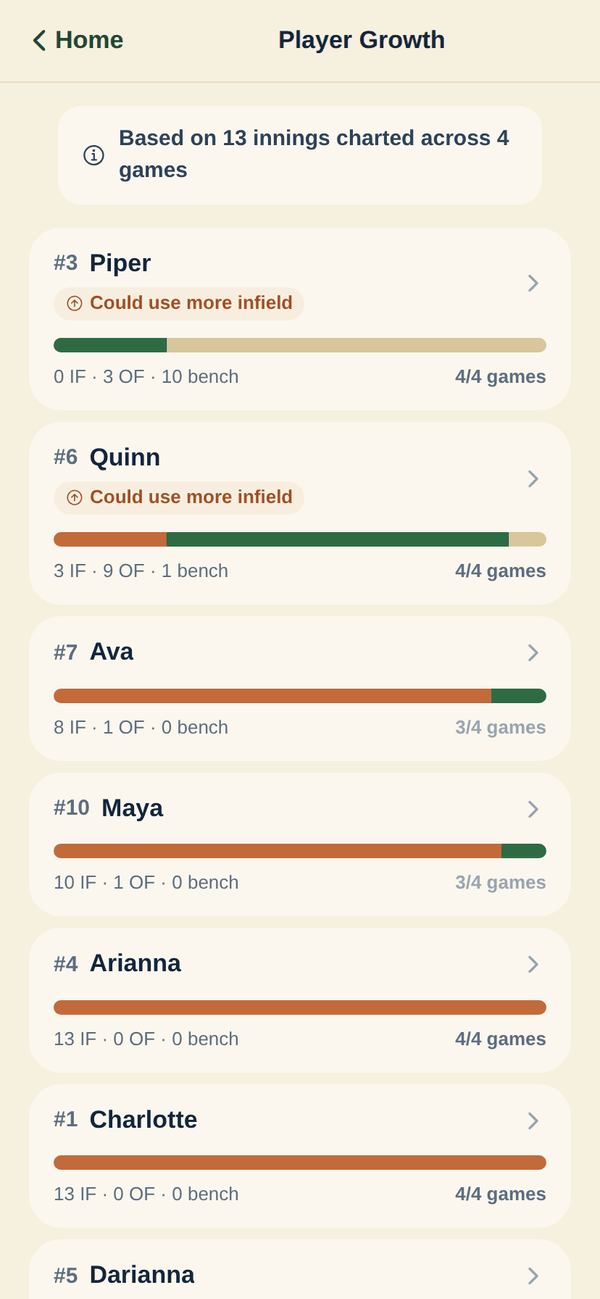
A player-by-player breakdown of innings played, positions started, bench time, and a batting-order heatmap, exportable to PDF. GameTime puts it this way: "the report you pull up when a parent asks why their kid only played one inning of infield." InfieldHQ's growth report is for the coach, and nothing publishes to parents today. (Want it in InfieldHQ? Tell us.)
Where the two part ways
Everything both apps do the same way is on the full comparison.
Keeping playing time fair
The questions every parent eventually asks, and what you can show them.
See who sat two innings in a row
- InfieldHQ: Yes.
- Yes. A warning triangle flags any player who sat two set innings back to back, on the fielding grid and in the editor.
- GameTime Lineups: Partly.
- The fairness grade surfaces it after the fact: "a player-by-player breakdown of innings played, positions started, and bench time" on the paid tier.
A fairness report a parent can read
- InfieldHQ: No.
- No. The growth report is for the coach. Nothing publishes to parents today.
- GameTime Lineups: Yes.
- A fairness PDF export on the paid tier, with a player-by-player breakdown and a batting-order heatmap. The copy: "the report you pull up when a parent asks why their kid only played one inning of infield."
Try a change before you commit it
- InfieldHQ: Partly.
- For AI-generated lineups, the prompt preview is what-you-see-is-what-you-get. There is no slider or what-if panel for hand-edits.
- GameTime Lineups: Yes.
- What-If mode on the paid tier: move a player into a different spot and watch the season fairness grade move in real time before you commit.
Everything around the lineup
The things the lineup feeds into, and what falls out of it on game day.
Print or PDF the lineup for the dugout
- InfieldHQ: No.
- Not shipped. The lineup lives in the app; PDF or printable export is not a feature today.
- GameTime Lineups: Yes.
- PDF for the clipboard, a shareable lineup graphic for the team chat, and CSV export of rosters and lineups.
Walk-up songs that follow the batting order
- InfieldHQ: Yes.
- DJ mode reads the lineup the coach set, plays walk-ups in that order, and moves to the next batter for you. One screen in the app that already runs the game.
- GameTime Lineups: No.
- Not what it does.
Parents RSVP from their own phone
- InfieldHQ: Yes.
- Yes. Parents open the parent side of the same app and RSVP going, maybe, or out. The coach sees the change in the lineup builder.
- GameTime Lineups: Partly.
- A view-only link parents can open to see the lineup, but RSVP happens elsewhere.
Running the league as a whole
- InfieldHQ: Yes.
- League admin, team formation, divisions, registration import, and tryouts are in the same app. The lineup is one screen in the thing that runs the season.
- GameTime Lineups: Partly.
- A leagues and organizations tier with league-wide fairness reporting, playing-time compliance, and centralized coach management. Custom pricing.
Whether it fits your league at all
The questions that rule a product out before any feature matters.
Sports it covers
- InfieldHQ: Partly.
- Softball and baseball. Works with the 9- or 10-player setup your league runs.
- GameTime Lineups: Yes.
- Baseball and softball, tee ball to high school. Continuous batting order or extra hitter.
Setup rules it knows about
- InfieldHQ: Partly.
- 9 or 10 players. No co-ed gender-balance rules, no slow-pitch rover, no extra-hitter slot, no mandatory-play rule per division. The position picker shows nine softball positions plus a tenth "extra" spot.
- GameTime Lineups: Yes.
- Continuous batting order or extra hitter. 5 to 7 innings. Sandlot, Rec, and Travel philosophies. 9 to 15 players.
Switching
Build the lineup in the parking lot
If you came from GameTime, the first minute feels familiar: mobile-first, and the fair lineup is already there when you open the game. The difference shows up in the second game, when attendance drives the rebuild, and the walk-up board plays the order you set.
- Open an empty game and the fair lineup is already there
- Regenerate for a new variation, or drag and tap anything
- Lineup History covers what the fairness PDF covers, for the coach
- Mark a player absent and the lineup rebuilds around who is actually here
The short answer
Use GameTime Lineups if you want a What-If mode for trying changes before you commit them, and a parent-readable fairness PDF. The Founding Coach plan is $29 paid once, yours for life, and after the first 200 spots it goes to $49 lifetime.
Use InfieldHQ if the fair lineup should draft itself from attendance in the same app, if the walk-up songs should follow the batting order you set, and if you'd rather have the lineup live next to the rest of the game-day app. It's free, and the lineup is one screen in the thing that runs the whole season.
Set your next lineup in two minutes.
Batting order, field positions, attendance, and the walk-up board. All free, all on the phone that's already in your pocket.
Free while you try it. No card, no setup call.
CheckedPrices and features verified . Found something out of date? Tell us and we’ll fix it.