InfieldHQ vs Inning Wizard
Free against free, with different jobs.
Inning Wizard has built fair lineups with one tap since before mobile-first was a thing. What it can't do is start from attendance, because it doesn't know who's coming to the game.
Free to start. Runs in the app or a browser.
InfieldHQ
Free
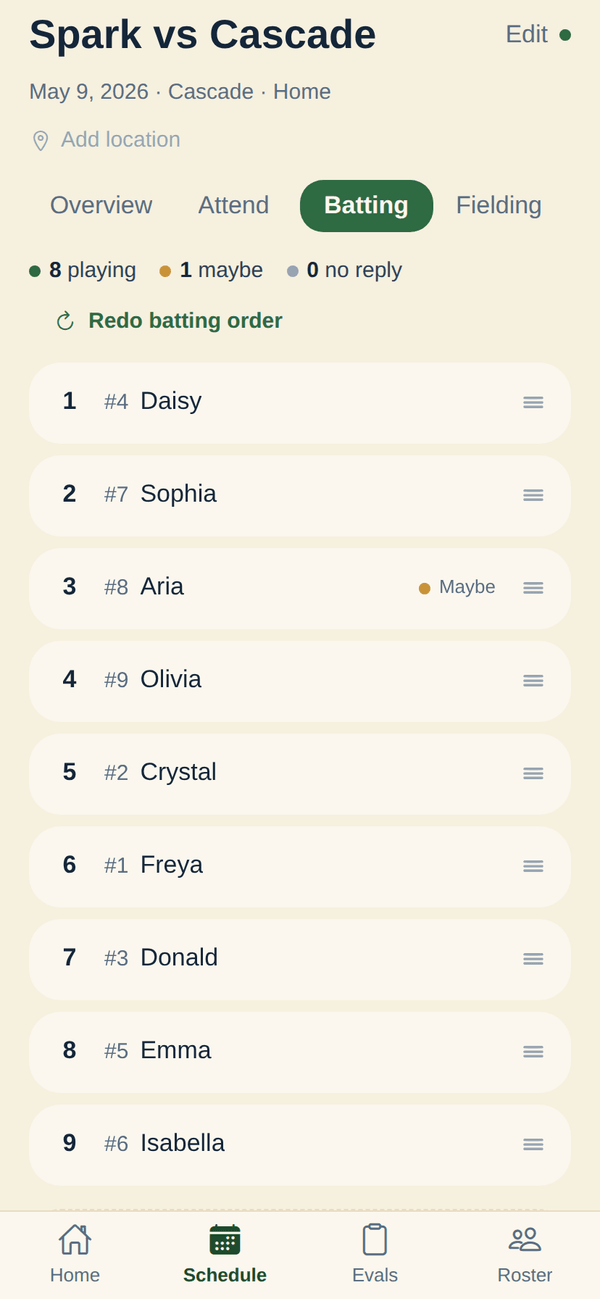
A rec team that already runs the season in InfieldHQ and wants the batting order and field positions built on a phone, in the parking lot, in the same app as attendance and the walk-up board.
Inning Wizard
Free, then $15 a year
A youth baseball or softball coach who wants a one-tap auto-fair lineup with saved history, and is happy working in a browser every Sunday night.
What Inning Wizard does better
A whole tournament weekend at once
Generate lineups for a full week of games at once, and tap who pitches to split the innings across your staff, kept consecutive. InfieldHQ drafts one game at a time: open the next game and its fair lineup is waiting, but there is no multi-game view. (Want it in InfieldHQ? Tell us.)
Two print copies, dugout and coach
A big-text dugout sheet that's easy to read at a glance, plus a coaching sheet with hit-tracking boxes and a baseball diamond for marking plays during the game. InfieldHQ does not print or export a lineup, and a coach whose dugout runs on paper has a real reason to use Inning Wizard. (Want it in InfieldHQ? Tell us.)
Where the two part ways
Everything both apps do the same way is on the full comparison.
Game day
The parking lot, the dugout, and the warmup window where the lineup actually gets set.
Editing the lineup on a phone
- InfieldHQ: Yes.
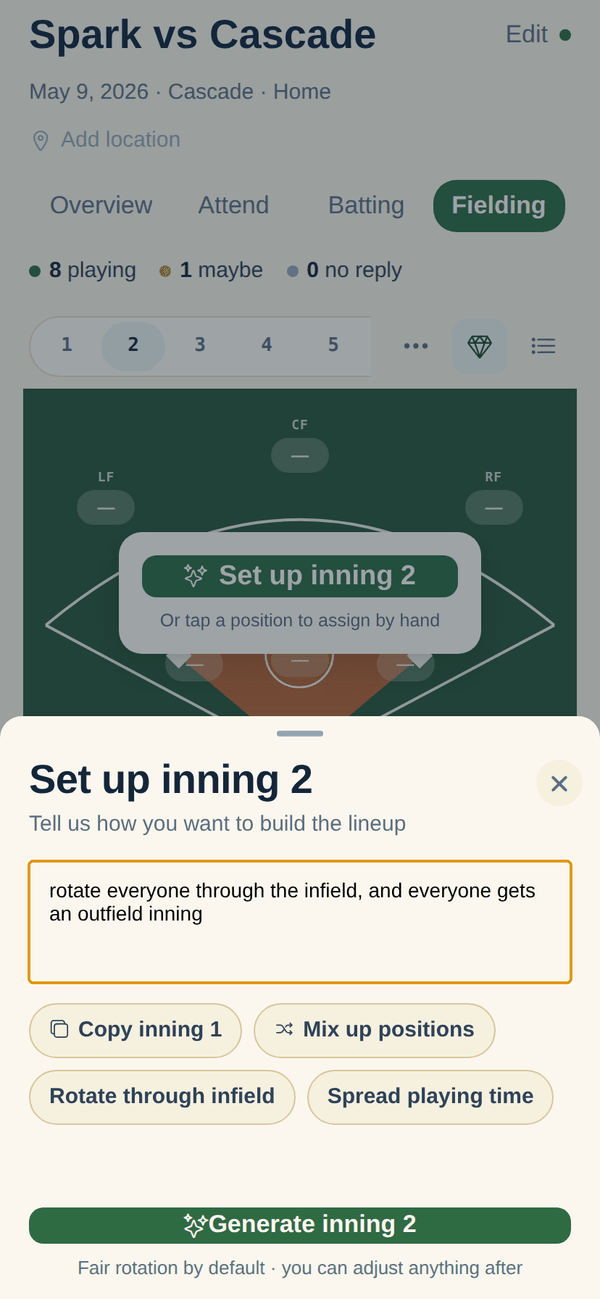
- Tap a position to drop a player in, or describe the change in plain English. Made for the phone: the fielding grid and batting order fit one phone screen.
- Inning Wizard: Partly.
- Runs in a browser. You can edit and drag, but the page was designed at desktop size and squashes on a small screen.
Sharing the lineup with parents and staff
- InfieldHQ: Yes.
- Parents see the schedule and RSVP from their own phone in the same app. A share-by-link for the lineup itself is not shipped.
- Inning Wizard: Partly.
- Export as CSV or print the dugout sheet. No parent-side view of the lineup as a live page.
Keeping playing time fair
The questions every parent eventually asks, and what you can show them.
See who sat two innings in a row
- InfieldHQ: Yes.
- Yes. A warning triangle flags any player who sat two set innings back to back, on the fielding grid and in the editor.
- Inning Wizard: Partly.
- Not surfaced in the UI. The generator avoids it by construction, but no explicit "this kid is sitting too much" flag.
A fairness report a parent can read
- InfieldHQ: No.
- No. The growth report is for the coach. Nothing publishes to parents today.
- Inning Wizard: Partly.
- A printable coaching sheet with hit-tracking boxes, but no parent-facing fairness report.
Try a change before you commit it
- InfieldHQ: Partly.
- For AI-generated lineups, the prompt preview is what-you-see-is-what-you-get. There is no slider or what-if panel for hand-edits.
- Inning Wizard: No.
- Not a feature. Generate, drag, print.
Everything around the lineup
The things the lineup feeds into, and what falls out of it on game day.
Print or PDF the lineup for the dugout
- InfieldHQ: No.
- Not shipped. The lineup lives in the app; PDF or printable export is not a feature today.
- Inning Wizard: Yes.
- Two print copies: a big-text dugout sheet and a coaching sheet with hit-tracking boxes and a diamond for marking plays.
Walk-up songs that follow the batting order
- InfieldHQ: Yes.
- DJ mode reads the lineup the coach set, plays walk-ups in that order, and moves to the next batter for you. One screen in the app that already runs the game.
- Inning Wizard: No.
- Not what it does.
Parents RSVP from their own phone
- InfieldHQ: Yes.
- Yes. Parents open the parent side of the same app and RSVP going, maybe, or out. The coach sees the change in the lineup builder.
- Inning Wizard: No.
- Not a feature.
Running the league as a whole
- InfieldHQ: Yes.
- League admin, team formation, divisions, registration import, and tryouts are in the same app. The lineup is one screen in the thing that runs the season.
- Inning Wizard: No.
- Not what it does.
What it costs
For one rec team of twelve, across a spring season.
Charges per player
- InfieldHQ: None.
- No per-player fee, ever. Twelve players or twenty costs the same.
- Inning Wizard: Banded.
- Free caps at 12 players. Paid Individual ($15/year) raises that ceiling.
Subscription vs one-time
- InfieldHQ: None.
- No subscription to cancel.
- Inning Wizard: Yearly.
- Yearly subscription, $15. No monthly option published.
Switching
Build the next lineup in the parking lot
If you came from Inning Wizard, the first minute feels familiar. The difference shows up in the second game, when a kid texts that she can't make it and the lineup rebuilds around who's actually at the field, not around who was on last week's roster.
- Type a roster, set the innings, hit generate. Same flow.
- Mark the absent kids before you press go, and the lineup is built on who is actually here
- Copy an inning to the next in one tap, the way you would in Inning Wizard
- The walk-up board reads the order when the game starts
The short answer
Use Inning Wizard if you generate the whole tournament weekend at once, want the pitching innings split across your staff, or your dugout runs on the printed sheet. It's free, it does that job well, and the $15 a year Individual plan unlocks unlimited generations and CSV export.
Use InfieldHQ if the fair lineup should already be there when you open the game, built on attendance from the same app, if the walk-up songs should follow the batting order you set, and if you'd rather not pay for the rest of your game-day app. It's free, and the lineup is one screen in the thing that runs the whole season.
Set your next lineup in two minutes.
Batting order, field positions, attendance, and the walk-up board. All free, all on the phone that's already in your pocket.
Free while you try it. No card, no setup call.
CheckedPrices and features verified . Found something out of date? Tell us and we’ll fix it.